How To Make A Standout Graphical Abstract (2026 Step-By-Step Guide)
Graphical abstracts are no longer a "nice to have" — in 2026, they are a core part of how research is discovered, shared, and remembered. Journals, conferences, preprint servers, and social platforms all prioritize visual summaries that clearly communicate the essence of a paper at a glance.
The challenge? Most graphical abstracts still look generic.
Stock icons, reused diagrams, and inconsistent layouts make it hard for your work to stand out — even when the science itself is excellent. That's where Illustrae comes in.
Illustrae is a web-based scientific illustration platform built specifically for researchers, students, and educators who want to create unique, publication-ready graphical abstracts without relying on design software or external illustrators.
In this step-by-step guide, you'll learn exactly how to create a standout graphical abstract in Illustrae — from first idea to high-resolution export — using two proven workflows.
What Makes a Great Graphical Abstract in 2026?
Before we dive into the "how," let's clarify what journals and readers expect today:
- Clarity over decoration – One clear message, visually structured
- Unique illustrations – No recycled clip art or obvious stock visuals
- Logical flow – Left-to-right or top-to-bottom storytelling
- Consistency – Colors, labels, and styles that feel intentional
- High resolution – Ready for journal submission and online sharing
Illustrae was designed around these exact requirements.
Why Use Illustrae for Graphical Abstracts?
Illustrae combines scientific accuracy with modern design tools in a single web app. Key features include:
- Infinite canvas for organizing complex figures
- AI illustration generator for creating custom scientific visuals from text, images, or sketches
- Graphical abstract templates aligned with academic standards
- Brainstorming workflow that turns your written abstract into a complete visual layout
- Fast iteration — request edits with plain-language instructions
Most importantly: every illustration you generate is unique, helping your research stand out instantly.
Approach 1: Create a Graphical Abstract Instantly with the Brainstorm Feature
If you want the fastest path from paper to visual, start here.
Step 1: Paste Your Abstract or Research Summary
After signing into Illustrae, open the Brainstorm workflow. Simply paste in:
- Your paper abstract, or
- A short research summary describing your study
Illustrae uses this content as the scientific foundation for your graphical abstract.
Step 2: Choose a Graphical Abstract Layout
Next, select from several graphical abstract layout options. These layouts are designed for:
- Journal submission standards
- Clear visual hierarchy
- Balanced text-to-image ratios
Step 3: Click "Create" and Let Illustrae Do the Work
Once you click Create, Illustrae generates a fully original graphical abstract based on your research.
Generation time: approximately 45–60 seconds
You'll receive:
- Custom scientific illustrations
- Structured labels and annotations
- A cohesive visual narrative of your study
Step 4: Refine with Natural Language Edits
Your first version is just the starting point.
Click on any image or section, select Edit, and type exactly what you want changed. For example:
- "Change the sample size from 24 to 36"
- "Make this image more schematic and less realistic"
- "Reconfigure the layout to emphasize the experimental workflow"
Illustrae updates the design while keeping everything consistent.
This workflow is ideal if you want speed, clarity, and originality with minimal setup.
Approach 2: Build a Custom Graphical Abstract from a Template
If you prefer hands-on control or want to design your abstract step by step, templates are the way to go.
Step 1: Start from a Graphical Abstract Template
Browse Illustrae's graphical abstract templates and select one that fits your journal or discipline.
Each template includes:
- Pre-aligned sections
- Placeholder text
- Visual spacing optimized for readability
Everything is fully editable on Illustrae's infinite canvas.
Step 2: Generate Illustrations One Element at a Time
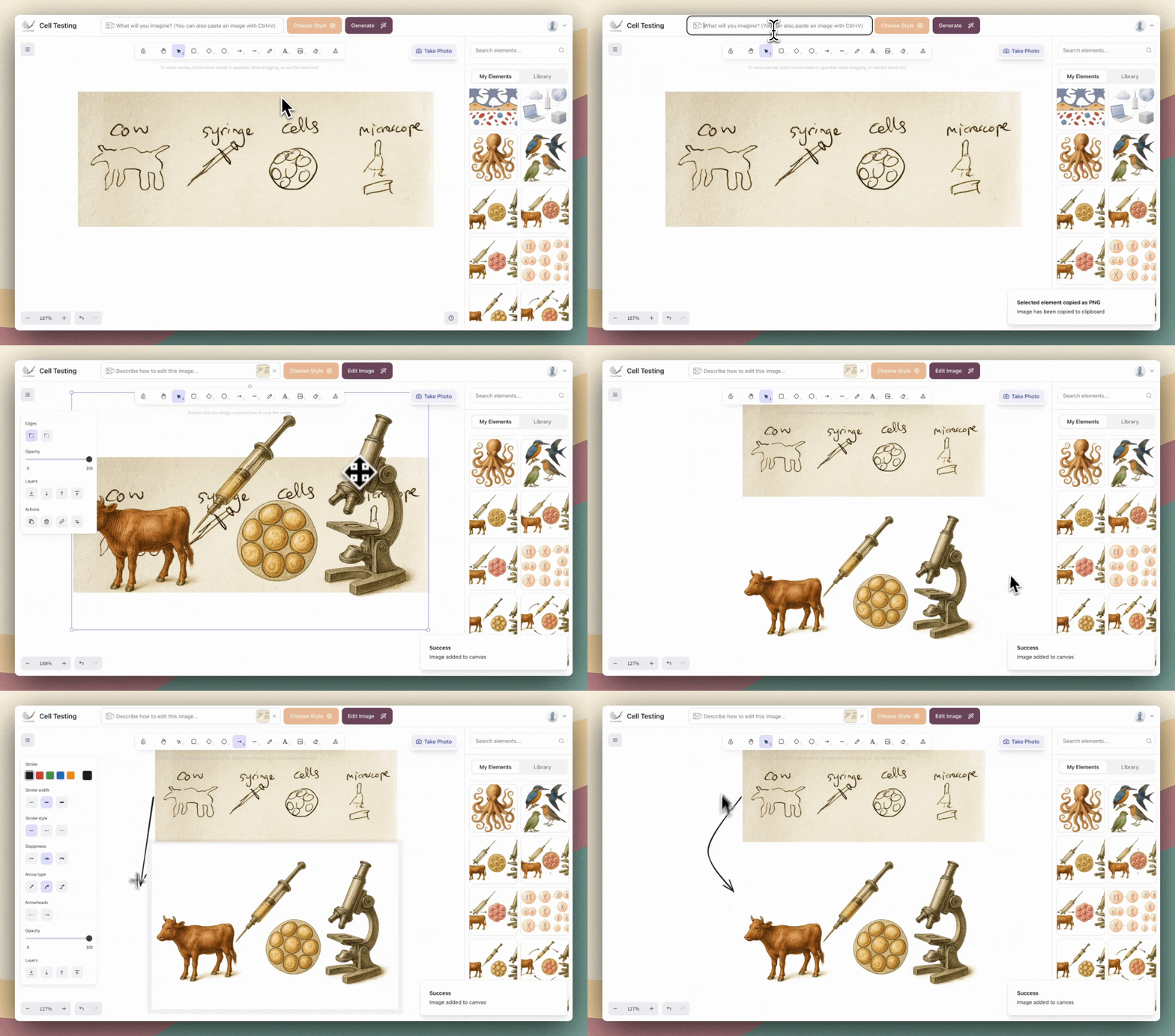
Use Illustrae's prompt bar to create each illustration individually.
For example:
-
Main overview image
Prompt a high-level illustration representing your system, organism, or process. -
Zoomed-in detail panel
Generate a focused illustration that visually explains a specific mechanism or result. -
Outcome or conclusion visual
Show the key finding, comparison, or effect from your study.
Because each image is generated separately, you maintain precise control over:
- Scientific emphasis
- Visual style
- Level of detail
Step 3: Arrange, Label, and Polish
Drag, resize, and align elements freely on the canvas. Add:
- Arrows and connectors
- Short labels or captions
- Consistent color coding
This approach is perfect for complex studies or authors who want maximum customization.
Exporting Your Graphical Abstract (Journal-Ready)
Once your graphical abstract is complete, exporting is simple.
Step-by-Step Export Instructions
- Click on the image or frame you want to export
-
Use the keyboard shortcut:
- Mac: Cmd + Shift + E
- Windows: Ctrl + Shift + E
-
In the export popup:
- Select 3× scale for highest resolution
- Choose PNG format to preserve illustration quality
Your file will be ready for journal submission, conference materials, or online sharing.
Pricing and Getting Started
Illustrae is available as a web app with flexible plans:
- Starter: $8.99/month
- Annual: $59/year (≈ $4.92/month)
- Unlimited: from $24.99/month
There's no free plan, but every subscription gives you full access to the tools needed to create professional, publication-ready graphical abstracts.